


The Importance of Password Management for Your Business
In today’s digital age, the use of technology has become an integral part of any business operations. As a result, businesses have become increasingly reliant on digital tools and platforms to manage and store sensitive information. However, with this increased reliance comes an increased risk of data breaches, cyber attacks, and other security threats.
One of the most important steps that businesses can take to protect themselves is to implement proper password management practices. In this article, we will explore the importance of password management for businesses, the risks associated with weak passwords, and provide tips on how to best implement password management in your organization.

What is Password Management?
Password management is the practice of creating, storing, and protecting passwords in a secure manner. It involves the use of complex and unique passwords, regular updates, and training on password security. The use of password management software and multi-factor authentication (MFA) can also be implemented to strengthen security.
Proper password management ensures the security of sensitive information and protects against data breaches and cyber attacks. Employees should be trained on the importance of password security and the risks associated with weak or easily guessed passwords. Password management software and MFA can be used to generate complex and unique passwords, store them securely, and add an additional layer of security.

The Risks of Weak Passwords


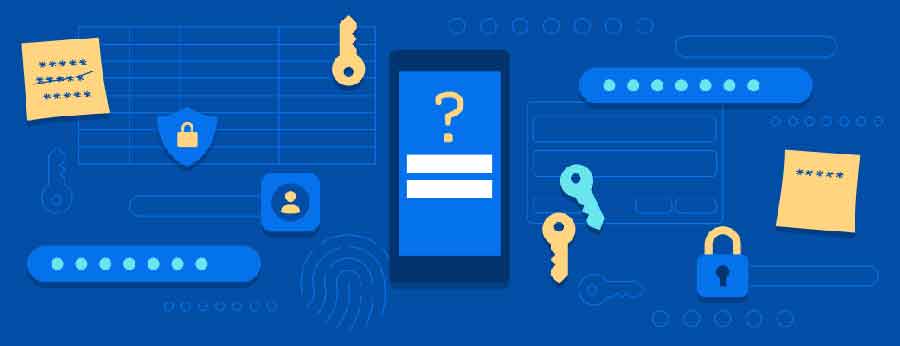
- Password cracking: Use of automated tools by hackers to guess passwords and access other accounts or sensitive information.
- Data breaches: Weak passwords can lead to data breaches resulting in loss of business, damage to reputation and financial penalties.
- Phishing: Phishing attacks are becoming increasingly sophisticated and if an employee falls for one and shares their password, the hacker can use that information to access sensitive data or systems.
Creating Strong Passwords
One of the best ways to prevent these risks is through the use of complex and unique passwords. This means using a combination of letters, numbers, and special characters, and avoiding common words or phrases. Additionally, it’s important to use different passwords for different accounts, as using the same password for multiple accounts increases the risk of a hacker gaining access to multiple accounts with just one cracked password.
- Complexity: Use of a combination of letters, numbers, and special characters to create a complex password.
- Uniqueness: Use of different passwords for different accounts, avoiding the use of the same password for multiple accounts.
- Randomness: Use of random generated passwords by password manager which is harder to crack than a human-generated one.
People Won’t Use Strong Passwords Voluntarily
Many people understand the importance of using strong and unique passwords to protect their information, but they still struggle to use them voluntarily. There are several reasons why this is the case:
- Difficulty remembering complex passwords: People often find it difficult to remember complex and unique passwords, especially if they have a lot of accounts. This can lead to them using easily guessed passwords or writing them down, which increases the risk of a data breach.
- Lack of time: People are often busy and might not have the time to create and manage complex passwords, so they opt for easier options.
- Lack of knowledge: Some people may not know how to create strong and unique passwords or the importance of doing so.
- Inconvenience: The process of creating and managing complex passwords can be seen as an inconvenience for some people, and they may prefer to use weaker passwords for the sake of simplicity.
It’s important to understand that people won’t use strong passwords voluntarily and businesses should implement a password management system to ensure the creation and management of strong passwords, and provide training to educate employees on the importance of using strong passwords.
People Aren’t Good at Creating Strong Passwords
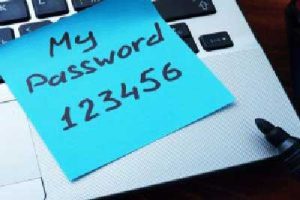

- Complexity: Many people find it difficult to create complex and unique passwords that are long and include a mix of letters, numbers, and symbols.
- Memorization: People often find it hard to remember complex and unique passwords, especially if they have a lot of accounts. This can lead to them using easily guessed passwords or writing them down, which increases the risk of a data breach.
- Lack of knowledge: Some people may not know how to create strong and unique passwords or the importance of doing so.
- Lack of inspiration: It can be difficult for people to come up with new and unique passwords that haven’t been used before.
It’s important to understand that people aren’t good at creating strong passwords, and businesses should implement a password management system to ensure the creation of strong and unique passwords, and provide training to educate employees on how to create strong passwords and the importance of doing so.
Lost or Forgotten Passwords Put Additional Strain on Help Desks


- Time-consuming: Helping employees reset their passwords can be time-consuming for IT staff, especially if they are handling multiple requests at once.
- Distraction from other tasks: Helping employees reset their passwords can distract IT staff from other important tasks, such as maintaining and updating systems.
- Frustration: If employees are unable to access their accounts for an extended period of time, they may become frustrated, which can lead to decreased productivity and morale.
- Cost: Lost or forgotten passwords can also lead to additional costs for businesses, as IT staff may need to devote more resources to resetting passwords and dealing with related issues.
It’s important for businesses to implement a password management system that can help employees to reset their own passwords and reduce the burden on the help desk. Additionally, providing training to employees on how to reset their own passwords can also help to reduce the number of requests sent to the help desk.
Why should I use a Password Manager?
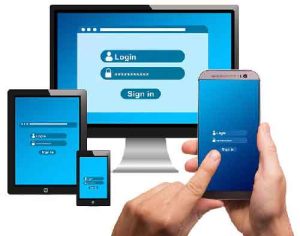

- Strong Passwords: A password manager can help generate strong and unique passwords, reducing the risk of a data breach caused by a weak or easily guessed password.
- Secure Storage: A password manager stores passwords in an encrypted format, ensuring that they are protected from hackers and other unauthorized access.
- Convenience: A password manager can automatically fill in login information for different accounts, saving employees time and reducing the risk of password fatigue.
- Sharing: A password manager allows the sharing of passwords within the organization while ensuring that they are not compromised.
- Auditing: A password manager can also provide an auditing feature which can track the history of a password, who accessed it, and when it was last accessed.
- Alerts: Alerting the administrator or IT department of any suspicious activities.
- Multi-Factor Authentication: Many password managers offer Multi-factor authentication (MFA) which adds an additional layer of security to protect against unauthorized access.
A password manager is a valuable tool for businesses looking to improve their password management practices and protect sensitive information from data breaches and cyber attacks. With the ability to generate strong and unique passwords, secure storage, convenience, sharing and auditing and MFA, password managers can help businesses improve their security posture and protect their reputation.
Are Password Managers Safe?
Password managers are designed to store and protect sensitive information, such as passwords, in a secure manner. However, like any software application, they are not immune to security vulnerabilities. In order to ensure that a password manager is safe to use, it’s important to consider the following factors:
- Encryption: Ensure that the password manager uses strong encryption to protect the stored data. Look for password managers that use AES-256 encryption, which is a widely accepted industry standard for encryption.
- Two-Factor Authentication: Two-factor authentication adds an additional layer of security by requiring a second form of identification, such as a fingerprint or a code sent to a mobile device, to access the password manager.
- Regular Updates: Regular updates help to fix any security vulnerabilities that may be discovered, so it’s important to ensure that the password manager is up-to-date.
- Reputation: Check the reputation of the software developer and ensure that the password manager has been independently audited for security vulnerabilities.
- Backup: Make sure the password manager has a feature for backing up your data or that you can export your data, in case of any issues with the software or device.
When used properly, password managers can be a very safe and secure way to store and protect sensitive information. However, it is essential to research the software and the developer, ensure that the software is regularly updated, and use two-factor authentication to add an additional layer of security.
Don’t be Fooled, Browser-based Password Management is Not Secure
Why not just use your browser-based password manager?
Many web browsers come with built-in password management features that allow users to save login information for different websites. While this may seem like a convenient way to manage passwords, browser-based password management is not a secure option. Here are a few reasons why:
- Weak Encryption: Browser-based password management often uses weaker encryption methods to protect stored data, making it easier for hackers to access the information.
- Limited Control: With browser-based password management, users have limited control over the security of their stored data. There is often no way to generate complex and unique passwords, or to monitor for suspicious activity.
- Lack of Backup: Browser-based password management does not usually have a feature for backing up data or export your data, which means that if the browser crashes or the device is lost, the user may lose access to their login information permanently.
- Limited Sharing: Browser-based password management doesn’t allow sharing the passwords within the organization, limiting collaboration and productivity.
- Workstation Hack: If a workstation gets hacked, all the passwords that are stored in a browser-based password manager will be exposed and vulnerable to unauthorized access.
While browser-based password management may seem like a convenient option, it is not a secure way to manage passwords. Businesses should consider using a dedicated password management solution that offers stronger encryption, more control over security, and the ability to backup and share passwords within the organization.
What else can I do to keep my accounts and passwords safe?
Don’t Reuse Your Passwords
Reusing the same password for multiple accounts can be a major security risk. If a hacker gains access to one of your accounts, they can then use that same password to access other accounts you have. Here are a few reasons why you should avoid reusing passwords:
- Increased risk of data breaches: Reusing the same password for multiple accounts increases the risk of a data breach, as hackers can gain access to multiple accounts with a single password.
- Limited control: When you reuse the same password for multiple accounts, you have limited control over which accounts are compromised in case of a security breach.
- Difficulty remembering: Reusing the same password for multiple accounts makes it harder to remember which password belongs to which account.
- Lack of security: Reusing the same password for multiple accounts reduces the overall security of your online accounts, as a hacker can gain access to multiple accounts with a single password.
It’s important to use a different password for each of your accounts and to use a password management system to store them.
Multi-Factor Authentication (MFA)
Another way to implement password management is using Multi-factor authentication (MFA) which means using a combination of something the user knows (password), something the user has (phone or token) and something the user is (fingerprint or facial recognition) to verify the user’s identity. This greatly reduces the chances of a hacker accessing your system even if they have the password.
- Verification: MFA uses multiple forms of identification to verify a user’s identity, making it more difficult for hackers to access sensitive information.
- Security: MFA provides an additional layer of security, reducing the risk of unauthorized access to systems and data.
- Critical systems: MFA is especially useful for protecting critical systems or applications that contain sensitive information.
Educating Employees on the Importance of Strong Passwords

- Training: Regular training and education on the importance of strong and secure passwords.
- Sharing: Reminding employees not to share their passwords with anyone, not even their colleagues.
- Changing: Encouraging employees to change their passwords frequently, at least every 90 days.
Responding to a Data Breach
In addition to implementing proper password management practices, businesses should also have a plan in place for dealing with a potential data breach. This can include regular backups of important data, as well as incident response teams that can quickly respond to and contain any potential breaches.
- Planning: Having a plan in place for dealing with a potential data breach is essential for any business.
- Backups: Regular backups of important data can help mitigate the effects of a data breach.
- Incident response: Having incident response teams that can quickly respond to and contain any potential breaches can help to minimize the damage.
- Communication: Businesses should also have a plan for communicating the incident to customers and stakeholders.
Don’t Be a Victim: Use a Password Manager
It allows employees to create complex and unique passwords for different accounts, and store them securely. This eliminates the need for employees to remember multiple passwords or to use the same password for multiple accounts, which increases the risk of a data breach.
Using a password management is crucial for businesses to protect sensitive information and prevent data breaches. By using complex and unique passwords, educating employees on the importance of secure passwords, and implementing password management software and MFA, businesses can ensure the security of their data and protect their reputation. It is advisable for businesses to regularly review and update their password management policies to ensure they are in line with the current security best practices. Remember, the security of your business depends on the security of your passwords.
What can Managed IT Professionals do to help?
Managed IT Professionals, a New Jersey based Managed IT Services firm, can play an important role in helping businesses improve their password management practices. Here are a few things that they can do to help:
- Offering Password Management Solutions: Managed IT Professionals can offer a range of password management solutions that are tailored to the specific needs of their clients. This can include password management software, multi-factor authentication, and other security measures.
- Providing Training: Managed IT Professionals can provide training to employees on how to use password management software, create strong and unique passwords, and understand the risks associated with weak passwords.
- Monitoring and Managing Passwords: Managed IT Professionals can monitor and manage passwords for their clients, ensuring that they are strong and unique, and that they are changed regularly.
- Auditing: Managed IT Professionals can perform regular security audits to check for vulnerabilities and ensure that passwords are being managed properly.
- Maintenance and Support: Managed IT Professionals can provide ongoing maintenance and support for password management solutions, ensuring that they are always up-to-date and that any issues are addressed quickly.
Managed IT Professionals can play an important role in helping businesses improve their password management practices by offering a range of password management solutions, providing training, monitoring and managing passwords, performing regular security audits and providing ongoing maintenance and support.
Explore Your Options for a Secure & More Reliable Network
Not only can Managed IT Professionals help with password management solutions, but we can also help ensure safe, efficient and reliable network operation throughout your business IT environment. We can provide your business with a FREE Network Assessment to help you fully optimize your network environment and cybersecurity, solve your IT challenges and monitor and manage every endpoint throughout your organization with our next-generation proactive system management & monitoring technology. Contact us today to schedule a free consultation and find out what Managed IT Professionals can do for your business! Call (201) 300-3825, or schedule a free consultation.
[custom-related-posts title=”Related Articles” none_text=”None found” order_by=”title” order=”ASC”]
We provide fast and friendly IT support to NJ/NY businesses and non-profits


Looking for Managed
IT Services?
Talk to our IT Specialist


Recent News
-

9 Email Safety Tips You Need to Know
Follow these tips for email safety to keep yourself and your devices safe from malware that can come from ill-intentioned emails.
March 8, 2023 -

Why Should You Use a Local Managed Service Provider?
Learn the benefits of using a local managed service provider (MSP) for IT services, including the advantages of in-person support, quick response times, better communication, and more. Also learn how MSPs can provide tailored solutions to meet the unique needs of businesses.
February 24, 2023 -

Sick of Your Slow Computer? 8 Common Issues and Their Solutions for Better Productivity
Discover expert-recommended solutions for fixing a slow computer and maximizing employee productivity. Discover how to optimize your computer’s performance for optimal efficiency and increased productivity levels.
February 7, 2023 -

Benefits of Automated Patch Management As Part Of Managed IT Services for Small Business
Cyber attacks and data breaches damage productivity, revenue, and reputation. Consider patch management and managed IT services to avoid security issues.
For an increasing number of companies, IT processes compose the infrastructure of their business. This IT framework allows for streamlining day to day operations, maximizing productivity, cutting costs, and ultimately increasing profits.January 17, 2023
