
Policy Management Done RightKeep staff well-versed on security standards. Centralize policies, automate approvals and keep clear audit trails.
Managing and distributing policy documents can be a huge responsibility
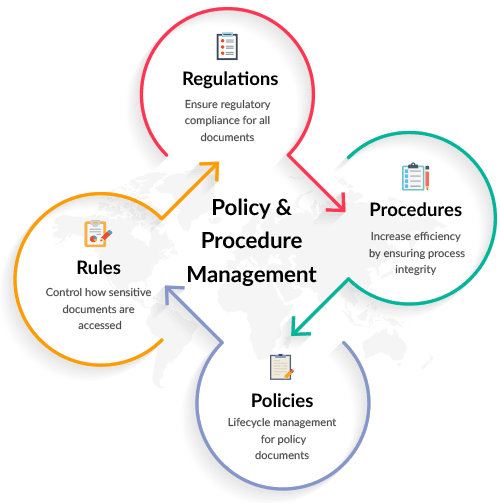
The sheer volume and continuous maintenance required for proper policy management can quickly become overwhelming. Having a policy management system which is fast, easy to use and effective is crucial. Our Policy Management solution provides your team with the ability to create, review, deploy, update and administer policies quickly and seamlessly.
There’s a better way to manage your company’s policies
Managed IT Professionals is ready to automate your policy authoring process as well as centralize, organize & prioritize the documents that guide your enterprise.
Track Your Policies
Whenever you update and distribute your company policies, you are able to view if they were shared with an employee and track when that employee viewed them. This helps you ensure that all employees have received the most up‑to‑date versions of your company’s policies.
Our Policy Management solution is part of our Human Risk Management platform, which also includes Cyber Security Awareness Training, Simulated Phishing Attacks, and Dark Web Monitoring.
Traditional policy management isn't fit for compliance.
Policies are out-of-date and chaotic
With a decentralized document library, policy version control becomes sloppy and difficult to manage, resulting in outdated policies that aren’t fit for purpose.
Policy updates get lost in the noise
Policy updates that are announced through company-wide email shots are easily missed, barely read and often forgotten about by employees.
Keeping an audit trail of user approvals is a pain
Tracking which employees have acknowledged and approved policies and procedures is crucial for company audits, but difficult to achieve at scale.
Increase Company-Wide ComplianceGive your employees the clarity and transparency to embrace your
corporate policies in one easy-to-use integrated cloud platform

Create, communicate and maintain policies in one place
Keep staff updated with automatic policy updates
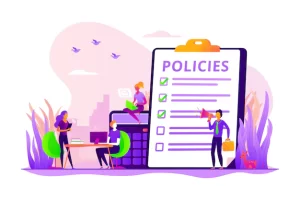

Save time with hassle-free eSign approvals
Easily track which users have viewed and approved a policy by requesting employee eSignatures, and enable a quick email nudge to remind those who haven’t yet acknowledged.
- Track policy views and eSign approvals
- View user acknowledgement via your dashboard
- Enable email reminders for users
Modern Policy Management As-a-ServiceManaging and distributing policy documents has never been this simple.
Centralized Policies
Upload, store and revise policies in one easily-accessible location.
Pre-Made Templates
Explore and edit a library of essential policy templates created for modern business.
eSign Tracking
Track user approvals through eSignatures.
Self-Service Access
Employees are invited to view and approve policies straight from their inboxes.
Auditor Access
Provide external access to auditors, with easy-to-navigate reporting dashboards.
New Staff Compliance
Automate relevant eSign requests for new employees when they’re added.
Version Control
Avoid confusion over which policies are most recent, with simple version labelling.
Compulsory Policies
Make eSignature approvals compulsory for specific company policies.
Email Reminders
Enable email reminders for users who haven’t yet viewed or approved policies.
Types of Policies
Access Authorization
Policies for granting access to your organization’s systems and software.
Breach Notification
Policies on how employees track data breaches, notify consumers and manage a breach.
Data Backup & Recovery
Policies on how employees carry out data backups and recovery plans.
Disaster Recovery Plan
Policies for restoring operations after a disaster.
Facility Access Control
Policies that define who can access your servers.
Media Management
Policies on how to properly use USB drives, portable drives, and CDs.
Encryption and Decryption
Policies that define how your company secures data during daily operations.
Event Monitoring
Policies on how to review server, network and application logs to reduce security threats.
Workstation Security
Policies on how employees should interact with their workstations.
Policy Management F.A.Q.
We often receive questions about our Policy Management solutions which we offer, so we thought we would clear them up with some helpful FAQs below. Of course, you can also pick the phone up and speak with us as we would be more than happy to help.
What is a policy?
Policies are meant to enhance the companies mission, set behavioral expectations across the organization, improve coordinated compliance with applicable laws and regulations, promote good security practices and operational efficiency, as well as reduce institutional risk. These written directives provide the operational framework within which the organization functions.
It is getting too difficult to schedule our employees to review our policies. Can employees review the policies whenever they want to?
Yes, Since our policy management system is 100% cloud based, your employees can login using the Internet to view your policies anytime from anywhere. You are able to schedule the review process with the click of a button that sends an email to each employee with a link to access the system and instructions for completing the employee policy review process.
My policies are in Word documents, how do I get them into the cloud policy management system?
There is a “Template Builder” tool included in the system which lets you create an online policy page or set of pages for each policy. When you have a Word document, you can simply copy and paste from Word to the Policy Builder. You can also use PDFs.
We currently have policies stored in different formats and each department has its own policies. Can we have one policy in one location but have different people manage them?
Yes, our cloud based policy management system has a policy manager admin login which allows you to see a master list of all your company policies. You can select who the owner or editor for each policy is. This can be organized by location or department as well.
How do our employees review our policies? Are the policies emailed to them or how does that work?
Your policies are stored in your cloud account. This allows your employees or only people you want to review them, to see them. The policies are not emailed to each person. You have centralized management of your master version of each policy. Your employees have controlled access to review and accept, or sign off on each policy.
[custom-related-posts title=”Related Articles” none_text=”None found” order_by=”title” order=”ASC”]
Recent News
-

9 Email Safety Tips You Need to Know
Follow these tips for email safety to keep yourself and your devices safe from malware that can come from ill-intentioned emails.
March 8, 2023 -
Why Should You Use a Local Managed Service Provider?
Learn the benefits of using a local managed service provider (MSP) for IT services, including the advantages of in-person support, quick response times, better communication, and more. Also learn how MSPs can provide tailored solutions to meet the unique needs of businesses.
February 24, 2023 -
Sick of Your Slow Computer? 8 Common Issues and Their Solutions for Better Productivity
Discover expert-recommended solutions for fixing a slow computer and maximizing employee productivity. Discover how to optimize your computer’s performance for optimal efficiency and increased productivity levels.
February 7, 2023 -
Benefits of Automated Patch Management As Part Of Managed IT Services for Small Business
Cyber attacks and data breaches damage productivity, revenue, and reputation. Consider patch management and managed IT services to avoid security issues.
For an increasing number of companies, IT processes compose the infrastructure of their business. This IT framework allows for streamlining day to day operations, maximizing productivity, cutting costs, and ultimately increasing profits.January 17, 2023


